Logs & calibration files
Configure Debug recording, manage history logs, and maintain calibration files.
Logs & calibration files
Debug parameters & logs
Debug locates issues in the device serial port, glove data, calibration, motion retargeting, algorithm output, and buffers. Enable it only when a problem needs to be reproduced, and restore the normal configuration afterwards.
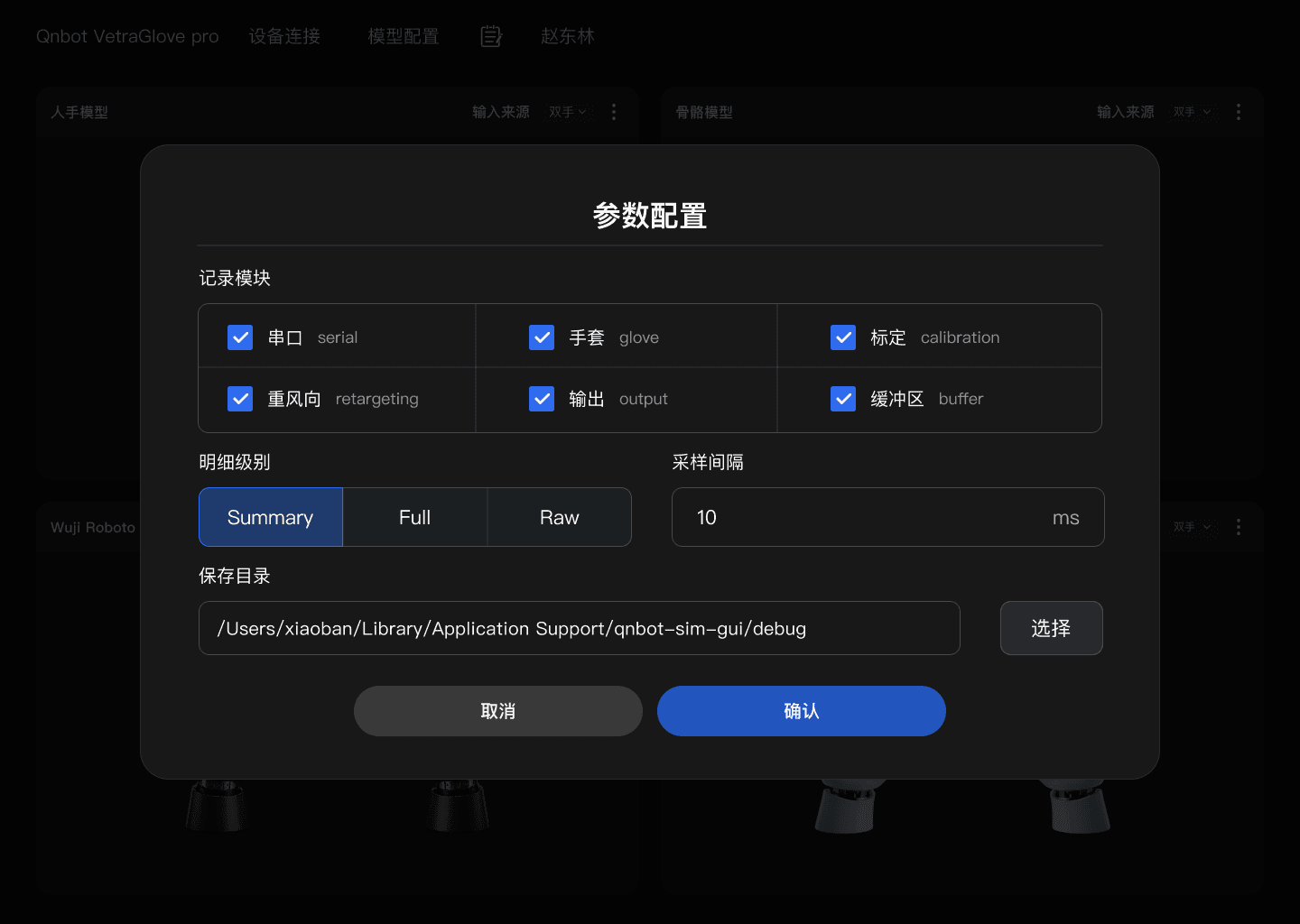
Recording modules
| Module | Identifier | Recommended use |
|---|---|---|
| Serial | serial | Device discovery, disconnection, serial send/receive anomalies |
| Glove | glove | Parsed glove data and input stability |
| Calibration | calibration | Calibration steps, results, and reproduction |
| Retargeting | retargeting | Mapping of hand motion onto the target model |
| Output | output | Algorithm results and model drive output |
| Buffer | buffer | Backlog, latency, throughput, and data pacing issues |
Levels & sampling interval
- Summary: suitable for routine troubleshooting, balancing information volume and file size.
- Full: records fuller context for hard-to-reproduce or multi-module correlation issues.
- Raw: keeps raw-level data and grows fastest; use it only when technical support explicitly requests it.
- Sampling interval: the example unit on the parameter page is ms. Smaller values record more densely; the exact semantics and valid range are governed by the delivered version.
- Select only the modules related to the problem; avoid enabling everything without a purpose.
- Choose Summary / Full / Raw and set the sampling interval.
- Confirm the save directory; click "Choose" to change the location when necessary.
- Click "Confirm" to save the configuration, then reproduce the problem.
- After reproducing, stop the task and turn off high-detail Debug.
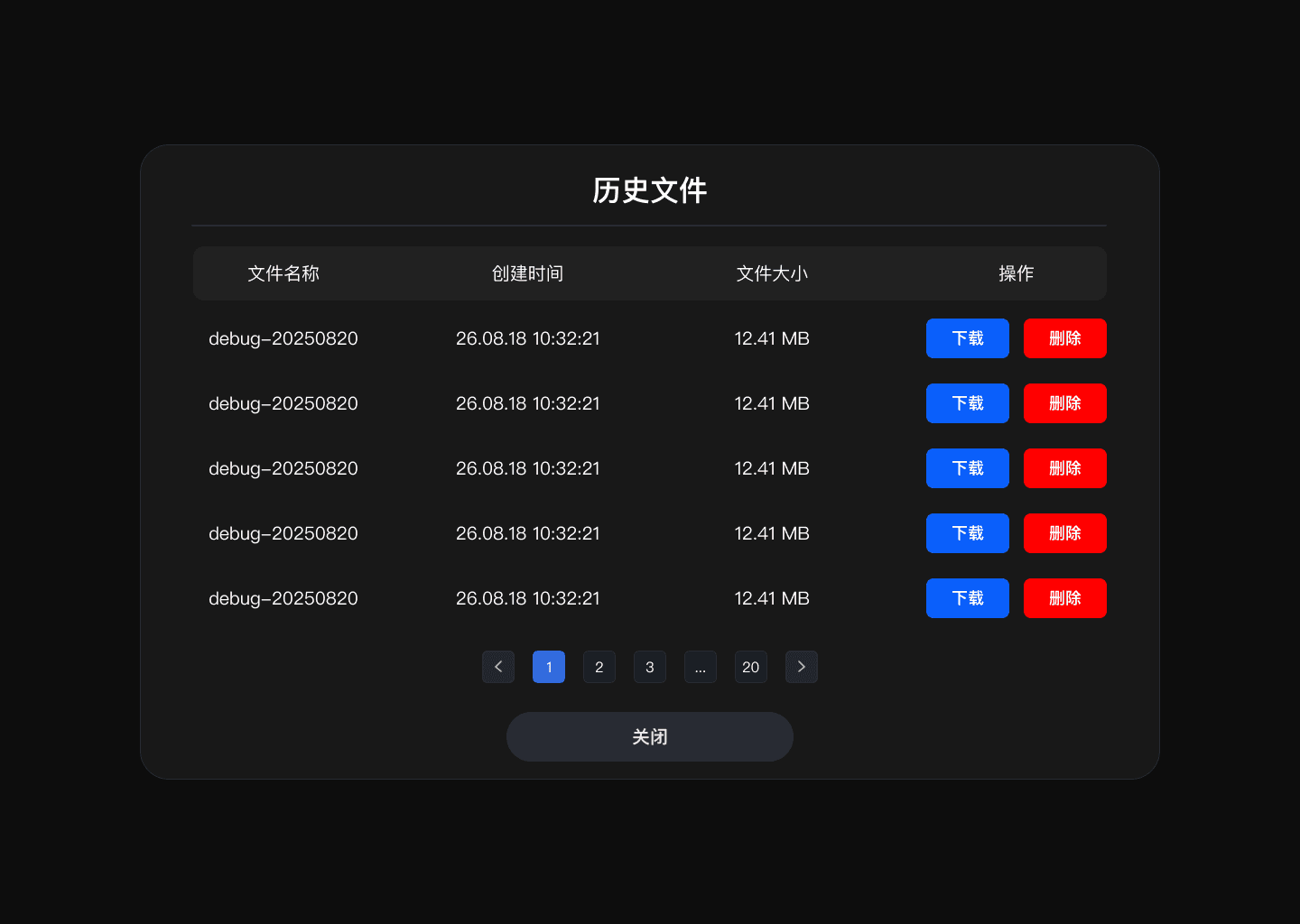
History file management
- The list contains the file name, creation time, file size, and actions.
- Click "Download" to export a diagnostic file; when submitting a support request, also state the problem time, device SN, hand, model name, and reproduction steps.
- Before clicking "Delete", confirm that the file has been backed up and is no longer needed for analysis.
- Use the paging control to browse older records; regular cleanup prevents disk space from shrinking continuously.
Data protection: logs may contain device serial numbers, account environment, raw sensor data, or path information. Transfer them only to authorized personnel and follow the project's data retention requirements.
Calibration file management
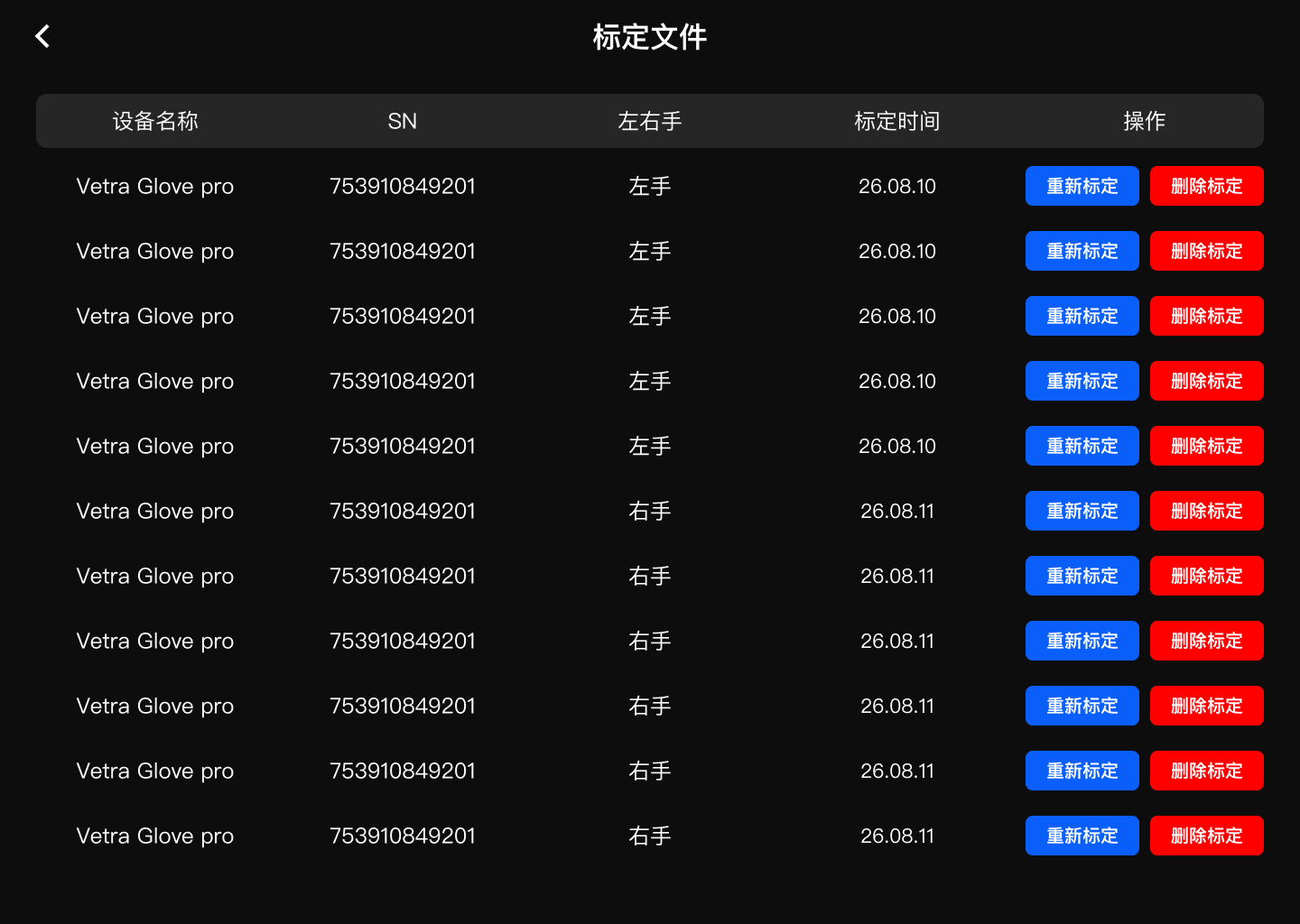
List fields
- Device name: the glove model the calibration belongs to.
- SN: uniquely identifies the device and should match the currently connected device.
- Hand: the hand that the calibration data belongs to.
- Calibration time: used to judge whether the record is the most recent.
- Actions: re-calibrate and delete calibration.
Re-calibration
- Locate the record that matches the current device SN and hand.
- Click "Re-calibrate". If gesture data already exists, the system prompts for overwrite.
- Confirm that the current task has stopped, and click "Confirm overwrite" when the overwrite is really intended.
- Repeat the 8-step wizard and verify the result on the simulation page.
Irreversible operation: the system states clearly that re-recording completely overwrites the existing gesture data and cannot be undone. If the project requires keeping history, back up or export it first using the delivery mechanism.
Deleting a calibration
After deletion, the device and hand may no longer obtain the correct motion mapping and must be re-calibrated to recover. Before deleting, verify the device SN and the left/right hand again to avoid deleting records of another operator or another device by mistake.